Create from open tabs
Select the tabs you already have open and save them as a named workspace.
LaunchTabs lets you create browser workspaces for job searching, AI tools, research, studying, client work and daily routines. Save tabs you already have open, or start with an empty workspace and fill it as you browse.
Save the tabs you actually use together, keep them organized as workspaces, and relaunch the whole set whenever you need that workflow again.
Select the tabs you already have open and save them as a named workspace.
Create the workspace first, open it in a new window, then add pages as you browse.
Launch a saved workspace in its own browser window so each task stays separated.
Rename workspaces, add new tabs, remove old tabs and keep each workspace current.
Use the small handle beside each workspace to sort your list in the order you prefer.
Export your saved workspaces as a backup file and import them again when needed.
The extension can display English or Swedish automatically based on the browser language.
Your saved workspace names and tab URLs are stored locally in your browser.
Use it for job applications, AI tools, creator work, research, studying or client projects.
LaunchTabs works whether you already have the right tabs open, or you want to create a clean workspace first.
Create workspaces from your current tabs, start with an empty workspace, update saved tabs later, and keep everything organized.
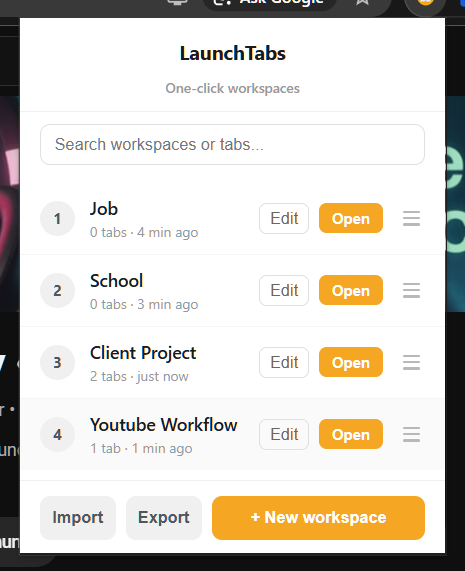
Keep job search, research, creator work, studies and client projects separated in simple one-click workspaces.
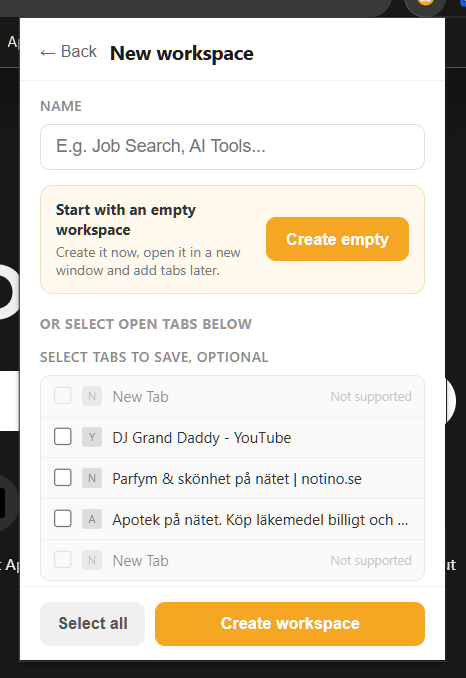
Create the workspace first, open it in a new browser window, and add tabs later as you browse.
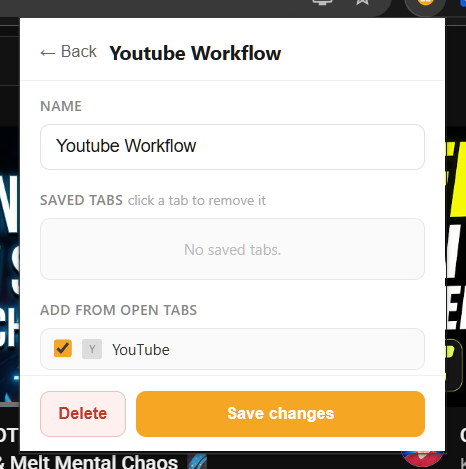
Rename a workspace, remove saved tabs, or add new tabs from your current browser session.
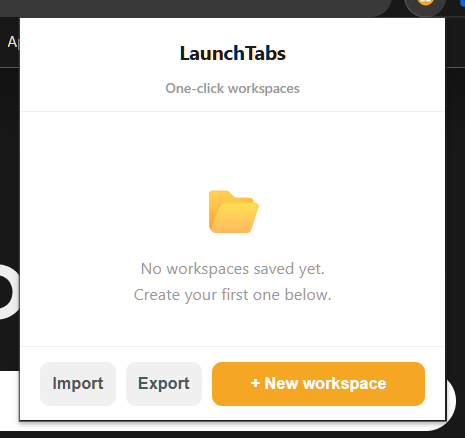
Start with a clean workspace list or use import and export to back up your setup when needed.
LaunchTabs is for anyone who opens the same set of pages for a specific task again and again.
LaunchTabs is designed as a simple local workspace tool.
LaunchTabs stores your saved workspace names and tab URLs locally in your browser using browser storage.
Join the early access list and get notified when the public version is ready.